Behavioral Triggers That Actually Work in Affiliate Launch Sequences
You've built the list. You've picked the offer. You've written the emails—or at least copied a swipe file you found somewhere. The launch window opens, you hit send, and... crickets. Maybe a handful of clicks. A commission or two if you're lucky. Then you sit there wondering what everyone else knows that you don't.
Here's the honest answer: it's probably not your copywriting. It's not your offer selection either. What's broken is the logic underneath your sequence—specifically, the absence of it. You're sending the same emails to everyone, in the same order, regardless of what they've actually done. And your subscribers know it. They can feel the indifference.
Behavioral trigger automation fixes this. Not in some abstract, theoretical way—in a very concrete, mechanical way that you can set up this week. This guide walks through exactly why your current launch sequences are underperforming and what to replace them with, step by step.
The Real Bottleneck Nobody Talks About
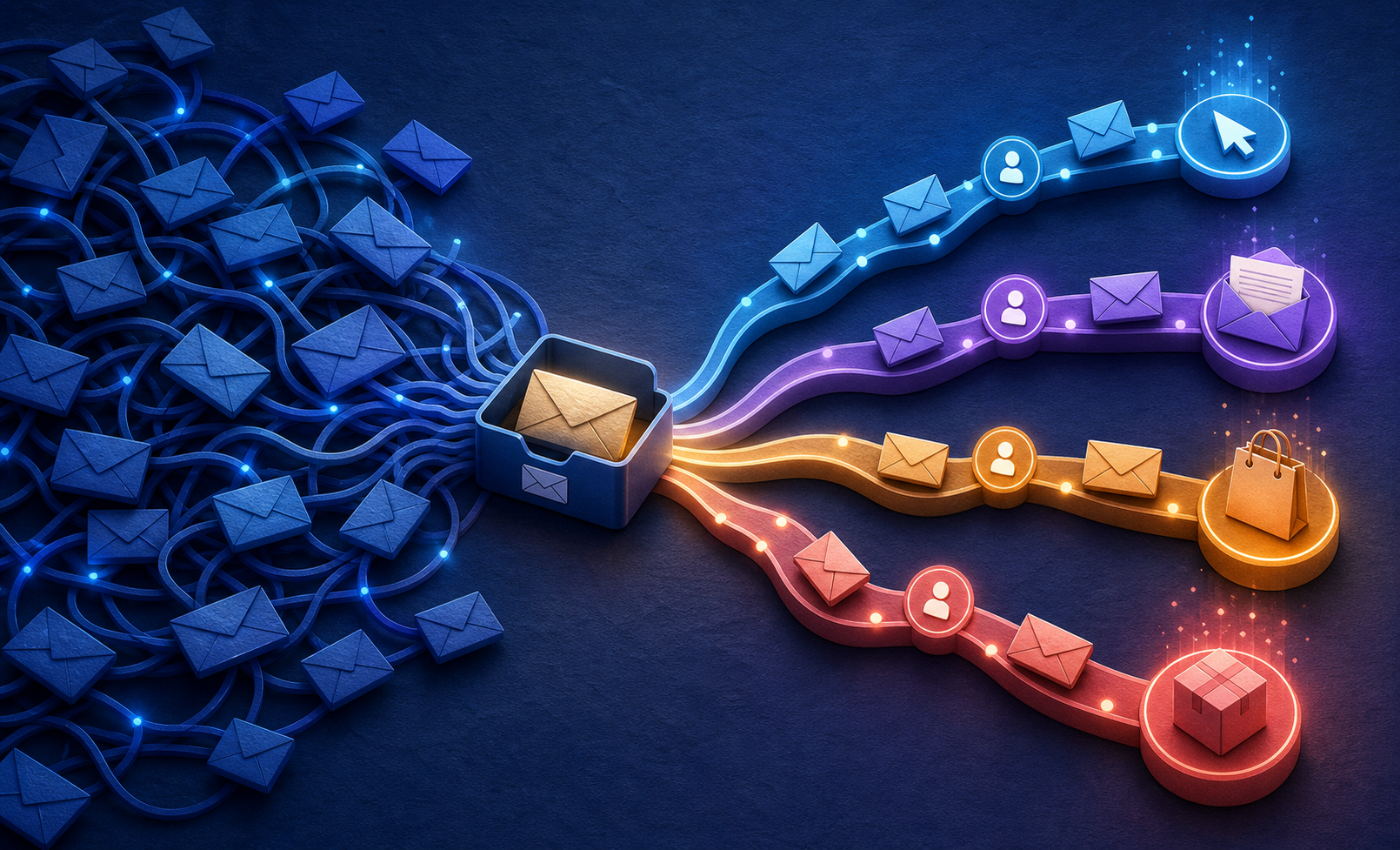
Most affiliate marketers treat their launch sequence like a conveyor belt. Email 1 goes out Monday. Email 2 goes out Tuesday. Email 3 goes out Wednesday (urgency). Everyone gets the same thing. The people who were ready to buy on Monday get badgered through Wednesday. The people who needed more convincing never got it. The ones who clicked your link but didn't buy? You never even noticed.
That's the bottleneck. Not your subject lines. Not your sender reputation (though that matters—more on that in a moment). The core problem is that your sequence has no memory. It doesn't know who clicked. It doesn't know who bought. It doesn't know who opened three emails and then went cold. It just... keeps sending.
Behavioral triggers give your sequence memory. They let you branch the experience based on what each subscriber actually does—or doesn't do. And for affiliate product launches specifically, where you're working inside a tight window (usually 5–10 days) with a hard deadline, that memory is the difference between a 1.2% conversion rate and something worth celebrating.
Step 1: Map the Behaviors That Actually Matter
Before you touch your autoresponder, you need to get clear on which subscriber behaviors should change what they receive. I've found most affiliate marketers overcomplicate this. They try to track 15 different micro-events and end up with an automation diagram that looks like a subway map.
For a standard affiliate product launch, you need to track exactly four behaviors:
- Email opened but no click — They're warm but unconvinced. They need more value or a different angle.
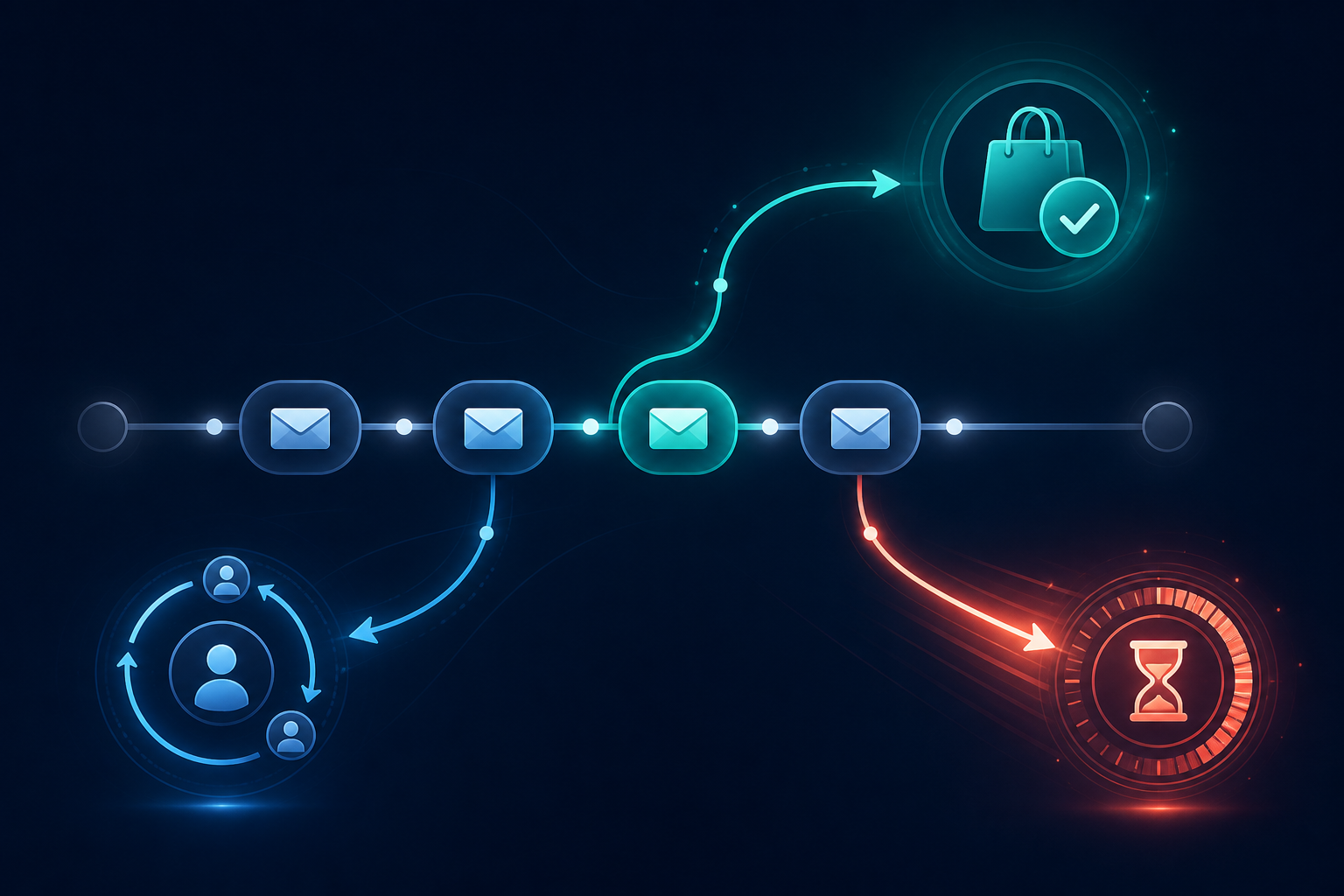
- Clicked the affiliate link but didn't purchase — This is your highest-intent segment. They visited the sales page and left. Treat this differently than everyone else.
- Purchased through your link — Remove them from the promotional sequence immediately. Send them something that deepens the relationship instead.
- No open at all — Either your subject lines failed or your deliverability is suffering. A re-engagement branch handles this.
That's it. Four buckets. Every behavioral trigger you build should route subscribers into one of these four experiences.
Pro tip: ConvertKit and ActiveCampaign both handle link-click triggers natively. If you're on a tighter budget, Systeme.io has gotten surprisingly capable here—their automation rules can tag subscribers on link click and move them between sequences without a Zapier workaround. See our ranked breakdown of email autoresponders for affiliate marketers if you're still deciding which platform to trust with your list.
Step 2: Build the Core Launch Sequence First
Here's where most people get the order wrong—they try to build the branches before they have a trunk. Your behavioral triggers need something to branch off of. So build your main launch sequence first, then layer in the logic.
For a 7-day affiliate launch, I'd structure the core sequence like this:
- Day 1 (Launch Day): The announcement email. Lead with the problem the product solves, not the product itself. One clear CTA.
- Day 2: Value email—a story, a case study angle, or a piece of content that makes the problem feel more urgent. Soft CTA at the bottom.
- Day 3: Objection handling. What's the #1 reason someone wouldn't buy this? Address it directly.
- Day 5: Social proof angle. Not fake testimonials—frame this as "here's who this is for and why it works." Strong CTA.
- Day 6: Urgency ramp. Closing soon, bonus removal, price increase—whatever the vendor is running. Be specific about the deadline.
- Day 7 (Close): Last call. Short, direct, deadline-focused. This is the one email where brevity wins.
Six emails over seven days. That's your trunk. Now the behavioral triggers make it intelligent.
Step 3: The Click-No-Purchase Branch (Your Most Important Automation)
If someone clicks your affiliate link and doesn't buy, they are your hottest lead. They saw the sales page. Something stopped them. Your job is to figure out what that was and address it—fast.
What most affiliates do: nothing. The person just continues through the standard sequence as if nothing happened. That's a massive missed opportunity.
What you should do instead: the moment someone clicks your affiliate link, tag them and trigger a parallel mini-sequence of 2–3 emails that runs between your scheduled sends. These emails should:
- Acknowledge the hesitation without being creepy about it ("Still thinking it over? Here's something that might help...")
- Address the most common objections for that specific product—price, skepticism, time commitment, whatever's relevant
- Offer a different angle on the value proposition—sometimes a second frame is all someone needs
The counterintuitive part: these emails shouldn't feel like a hard close. They should feel like you're helping someone make a decision they're already leaning toward. Because they are. They clicked. They're interested. Don't blow it with desperation.
Once they purchase, suppress them from both the branch sequence and the main sequence immediately. This is non-negotiable. Continuing to pitch someone who already bought destroys trust faster than almost anything else.
Step 4: The Buyer Suppression and Post-Purchase Pivot
This step sounds obvious. It isn't, apparently, because I see affiliates skip it constantly.
When someone buys through your link, two things need to happen automatically: they get removed from the promotional sequence, and they get added to something that treats them like a customer rather than a prospect. This is where the relationship gets built—or destroyed.
The challenge with affiliate marketing is that you don't control the vendor's post-purchase experience. What you do control is your own email relationship with that buyer. Use it. Send them a congratulations email that reinforces their decision. Follow up with content that helps them get value from what they just bought. This isn't just good ethics—it's good business. Buyers who feel supported by the affiliate who referred them are far more likely to buy through that affiliate again.
For a deeper look at structuring this post-purchase relationship, this breakdown on post-purchase email sequences for digital product buyers is worth your time.
Step 5: The Non-Opener Re-Engagement Branch
By Day 3 of your launch, you'll have a segment of subscribers who haven't opened anything. Don't give up on them. Don't keep sending the same emails with the same subject lines either.
Trigger a re-engagement attempt with a completely different subject line approach. If your launch emails have been benefit-focused ("The fastest way to [result]..."), try curiosity or pattern interruption ("This is embarrassing to admit"). Change the sender name if your platform allows it—sometimes seeing a first name instead of a brand name in the from field is enough to get an open.
Send one re-engagement email at Day 3 and one at Day 6 (your urgency window). If they still haven't opened by close of launch, suppress them from the sequence. Mailing unengaged subscribers through a launch window actively damages your deliverability scores—and that hurts every future campaign you run.
Pro tip: In ActiveCampaign, you can build a condition that checks "has not opened any campaign in the last 7 days" and automatically routes those contacts into a lower-frequency branch. Set this up once and it runs itself. ConvertKit handles this slightly differently through segments, but the logic is the same.
Step 6: Timing Your Triggers—The Delay Problem
One of the most common implementation mistakes I've seen: affiliates set up behavioral triggers but use the wrong delays. Someone clicks your link at 2pm on a Tuesday. You have your click-triggered follow-up set to send after a 24-hour delay. By the time they get that email, they've forgotten the context, the sales page is a distant memory, and the email feels random.
For click-no-purchase triggers: 2–4 hours is the sweet spot. Long enough that it doesn't feel automated. Short enough that the sales page is still fresh in their mind. I've tested same-day sends (under 1 hour) and they can feel intrusive. Next-day sends lose too much momentum. Two to four hours is where I've consistently seen the best results.
For non-opener re-engagement: 48 hours after the original send. Give your first attempt enough time to collect opens before you route people into the non-opener branch. If you trigger too early, you'll accidentally re-engage people who opened on a slight delay.
For post-purchase confirmation: under 30 minutes. This one should feel immediate. It's a welcome moment—don't let it go cold.
Step 7: Deliverability Isn't Separate From Automation—It's Part of It
Here's something that doesn't get said enough in guides like this: your behavioral trigger system will fail if your deliverability is broken. You can build the most sophisticated automation logic in the world, but if your launch emails are landing in promotions tabs or spam folders, the triggers never fire because nobody's seeing the emails to click them.
A few things that matter specifically for launch sequences:
- Warm your IP if you're sending to a list that's been cold for more than 60 days before the launch. Start with your most engaged segment, then expand.
- Keep your unsubscribe path frictionless. Suppressing complaints is more damaging than losing a subscriber.
- Watch your click-to-open rate (CTOR) during the launch. If it drops below 10%, your content-to-audience fit is off, not just your deliverability.
- Avoid sending the same affiliate link URL in every email. Some spam filters flag repeated identical URLs. Use a redirect or rotate between your bridge page and the direct affiliate link.
From the Field: Practical Implementation Notes
When I've set up launch sequences like this from scratch, the build typically takes longer than people expect—not because it's technically complex, but because the decision-making upfront is where the time goes. Specifically: mapping out what each tag triggers, which sequences suppress which others, and making sure buyers don't get pitched again after purchase. That logic diagram, even for a simple launch, usually takes 45–60 minutes to get right on paper before touching the platform.
A few things I've noticed in real implementations:
ConvertKit's visual automation builder is genuinely easier for affiliates who are newer to conditional logic. The "if/else" branching is visible and auditable. ActiveCampaign is more powerful but the interface punishes you if you haven't mapped things out beforehand. Systeme.io is the underrated option for solo operators who want 80% of the functionality at a fraction of the cost—though their reporting on individual automation steps is still catching up.
On ClickBank specifically: their affiliate tracking doesn't natively pass purchase confirmation back to your email platform. You need either a thank-you page redirect that fires a pixel or webhook, or you use a tool like ClickMagick to track conversions and push tags to your autoresponder. This is a real gap that catches people off guard. Plan for it before launch day, not during.
Also—and this is worth saying plainly—don't build this entire system the week of a launch. If you're promoting a ClickBank offer with a 7-day window and you start building your automation on Day 1 of that window, you're going to make mistakes under pressure. Build it in a test environment at least a week out, send yourself test emails through every branch, and verify that buyer suppression actually works before you go live.
For those pairing this with paid traffic—running native ads on Taboola or Meta to build the list ahead of the launch—the behavioral sequence becomes even more critical because your leads are colder. They opted in for a lead magnet, not because they were already product-aware. The click-no-purchase branch needs to do more heavy lifting in that scenario. The guide on recovering abandoned funnel leads through behavioral segmentation goes deeper on this specific challenge.

Why This Still Fails (Troubleshooting the Common Breakdowns)
The tags aren't firing. Nine times out of ten, this is a tracking link issue. Your affiliate link needs to pass through your email platform's click-tracking system for the platform to register a click event. If you're using a raw ClickBank hop link in your email, your autoresponder has no idea anyone clicked it. Use a tracked redirect—your platform's built-in link tracking, ClickMagick, or a custom domain redirect that your platform can monitor.
Buyers are still getting promotional emails. This usually means the suppression tag isn't being applied fast enough, or you have two separate sequences running and only suppressed from one. Audit every active sequence a buyer could be enrolled in and make sure your buyer tag suppresses them from all of them.
The click-triggered follow-up feels off to subscribers. If people are replying to your triggered emails saying "how did you know I was looking at this?"—that's fine, it's working. If they're unsubscribing at a higher rate than normal, your triggered emails are too aggressive or too soon. Pull the delay back to 4 hours and soften the opening line.
Your non-opener segment is 60%+ of your list. That's a deliverability problem, not a subject line problem. Check your spam score, review your sending domain authentication (SPF, DKIM, DMARC), and consider segmenting your list to only mail engaged subscribers for the launch. A smaller list that actually sees your emails will always outperform a bloated list that doesn't.
Your 10-Minute Action Plan (Start Right Now)
You don't need to build the whole system today. Here's what you can do in the next 10 minutes that moves this forward:
- Minutes 1–2: Open a blank doc and write down the four behavior buckets from Step 1. Next to each one, write one sentence describing what that subscriber needs to hear.
- Minutes 3–4: Log into your email platform and find where you create automation rules or "if/else" conditions. Just find it. Don't build anything yet—just locate the feature so you know it exists and where it lives.
- Minutes 5–6: Identify the affiliate offer you're planning to promote next. Write down one objection a non-buyer would have after visiting the sales page. That objection becomes the subject line of your click-no-purchase trigger email.
- Minutes 7–8: Check whether your current email platform tracks link clicks inside emails natively. If it does, great. If not, decide right now whether you'll use ClickMagick or a custom redirect to handle this. Don't skip this step—it's the foundation everything else sits on.
- Minutes 9–10: Block 90 minutes in your calendar this week specifically for building the click-no-purchase branch. Not the whole system—just that one branch. It's the highest-ROI piece of the entire automation, and it's also the simplest to start with.
That's it. Ten minutes of real progress. The sophistication comes later. What matters right now is that you stop treating your launch sequence like a conveyor belt and start treating it like a conversation—one that responds to what the other person actually does.
If you're also thinking about how to structure the offers inside these sequences—not just the emails themselves—this guide on high-ticket offer stacking inside email sequences pairs well with everything covered here.
The list isn't broken. The logic just isn't there yet. Fix the logic, and the list starts working.
This article contains affiliate links. We may earn a commission at no extra cost to you. Full disclosure.
Editorial Team
Senior Digital Marketing Strategist
The Prophet Visionary editorial team covers affiliate marketing, paid traffic, funnels, and digital product strategy with hands-on practitioner experience.
Learn more about our editorial team →Your List Is Only as Good as Your Email Platform
AWeber has 25+ years of inbox deliverability, drag-and-drop automation, and AI-powered copywriting built in. Free plan for up to 500 subscribers.
See Why Affiliates Use AWeberThis page contains affiliate links — I may earn a commission at no extra cost to you.
Disclaimer: The information on this site is for educational purposes only and does not constitute financial, legal, or business advice. Results vary based on individual effort, market conditions, and other factors. Always do your own due diligence before making business or investment decisions.